n8n vs BPMN Systems: What Actually Differs
A deep dive into what actually differs between n8n and BPMN-based systems.
Published April 10, 2026
Comparing automation frameworks always risks turning into a surface exercise. People reach for the easy answer: pricing, community size, integrations count, cloud vs self-hosted. Those things matter. But they don't explain what happens when a production process fails midway, or when a new team member tries to understand a workflow built six months ago.
After years working with BPMN engines (Camunda, Flowable, SpiffWorkflow) and n8n, I want to focus on what actually differs in practice: the tradeoffs you feel once things are in production.
The question is not "which one is better." The question is: what are you actually giving up when you choose one over the other?
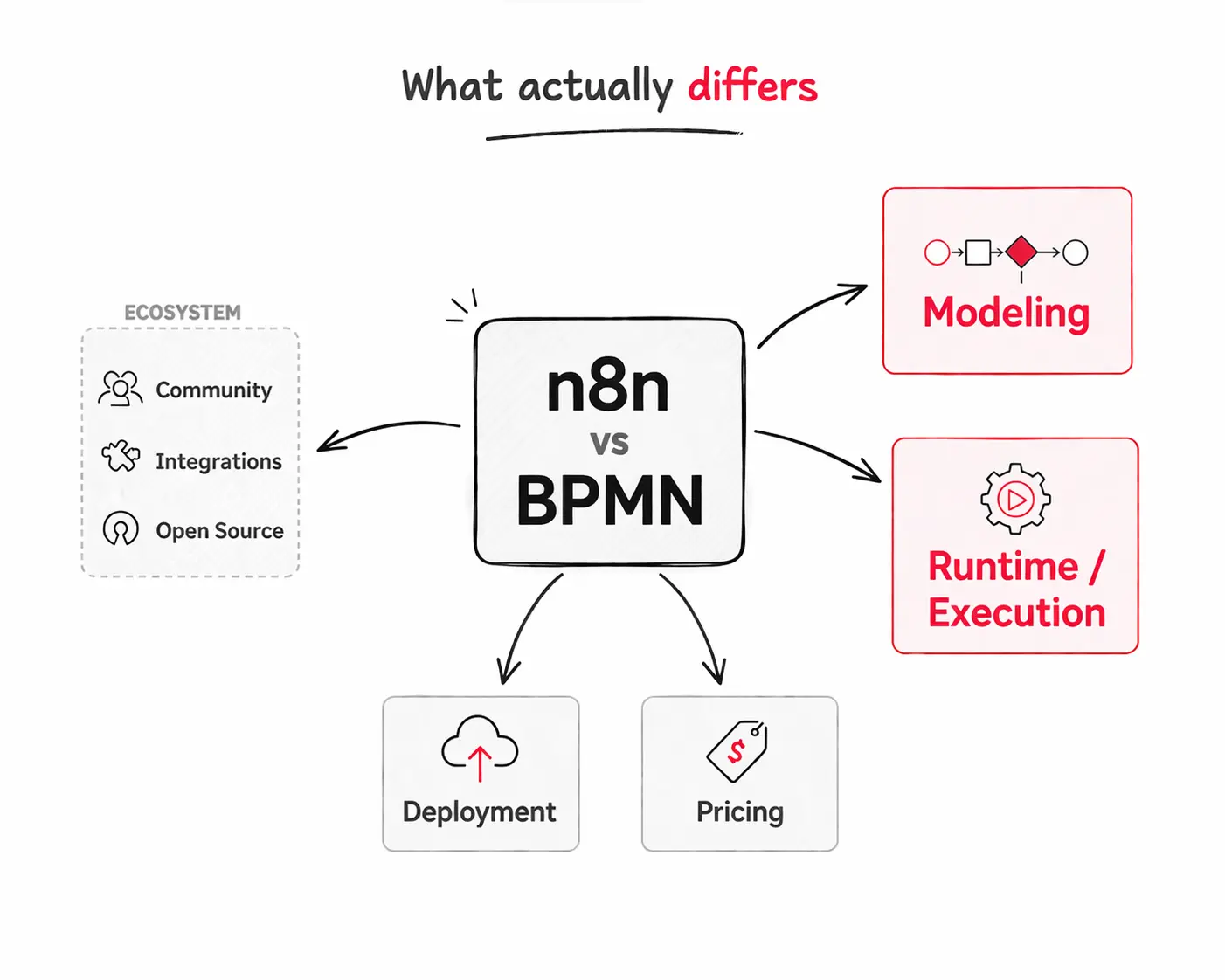
1. Modeling Experience
To properly compare the modeling experience, we need to separate two things: the platform UI and ease of use, and the available elements and components for building workflows.
UI/UX and Ease of Use
n8n wins here, and it is not close.
The interface is modern, intuitive, and built around current design principles. When you finish designing a workflow in n8n, the result looks good. There is a satisfaction that comes from the visual output, similar to what you feel when you finish customizing a Notion template. It reminds me of what DHH said regarding software and aesthetic: "aesthetic is truth; when something is beautiful it is likely to be correct." n8n earns that.
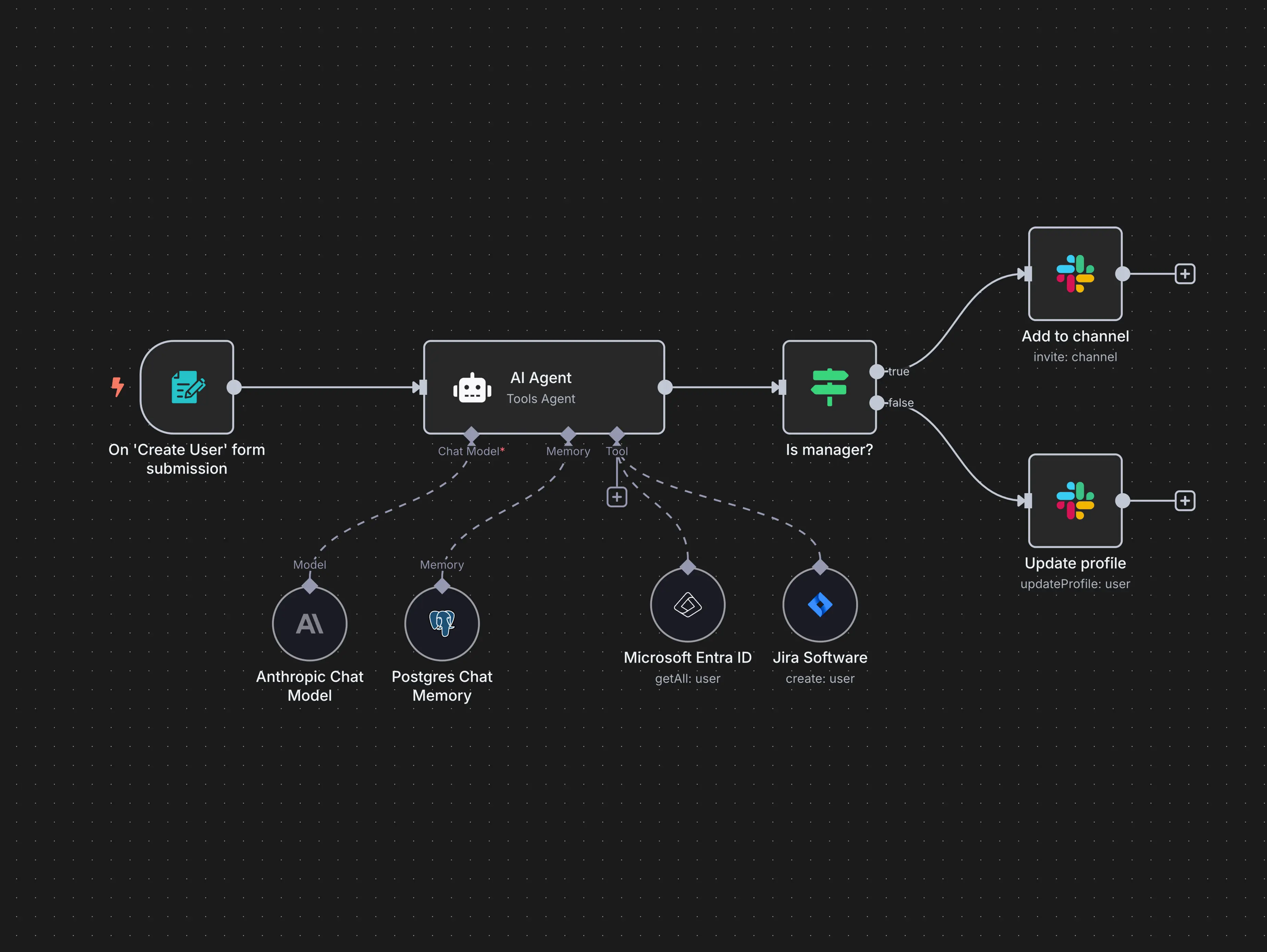
The available BPMN-based editors on the other hand are not giving the same user experience. The learning curve is real. You cannot open Camunda 8 for the first time and expect to build a functional process in an hour or two, even with a technical background.
Another area where n8n excels is the feedback loop between modeling and execution. When building a workflow, you need to run it repeatedly with small changes to verify behavior. In n8n, switching between modeling and execution is smooth. You can retrigger the same workflow from any point with the same data object, multiple times, without leaving the interface. In most BPMN systems, this cycle is painful. Deploying a process, triggering an instance, and inspecting the state involves multiple steps and often multiple tools, which makes the development and building of workflows take significantly more time compared to n8n.
Modeling Elements and Components
This is where the comparison shifts.
BPMN-based engines use the BPMN 2.0 standard as their modeling language. That standard is rich in theory, concepts, and established patterns. Every element carries a precise semantic meaning. A boundary event is not just error handling. It tells you whether the parent task is interrupted or continues. A message event is not just a trigger. It describes a directed communication between two specific participants. An escalation event is not just a notification. It defines a specific relationship between a sub-process and its parent.
This precision is not academic. It means a BPMN process reflects how the business actually works.
n8n optimizes for ease of use. BPMN optimizes for clarity at scale.
2. Runtime and Execution
Modeling is irrelevant if execution breaks in production, That’s where the real differences show up.
Process Instance Management
In BPMN, every process that starts is a single instance by default. That instance has a clear identity. If a single process needs to spawn parallel work, processing a list of items, for example, BPMN provides explicit constructs for that: parallel multi-instance and sequential multi-instance configurations. Each sub-execution is traceable, contained, and clearly reflected in the model.
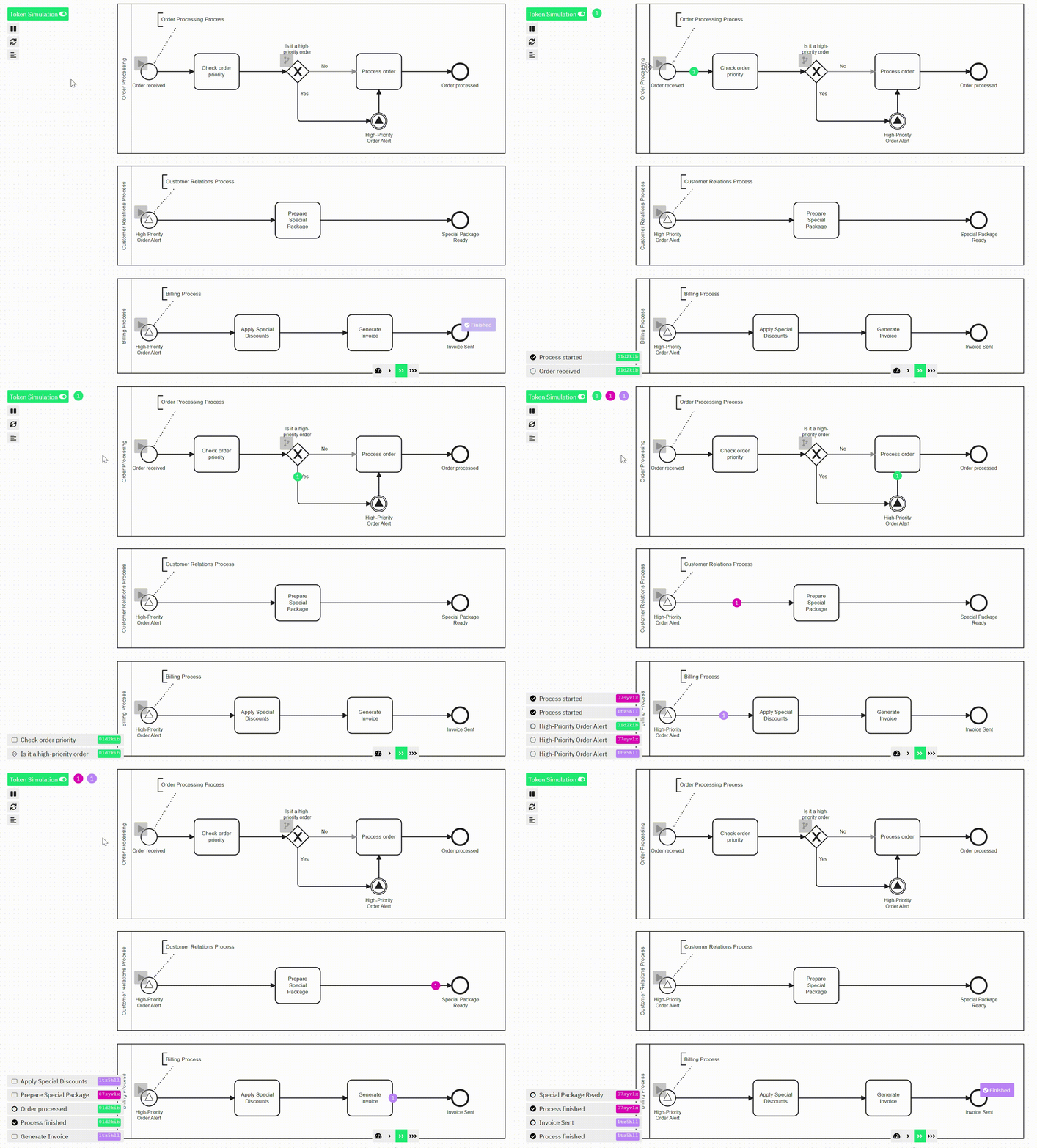
In n8n, there are almost no rules here by default. If your first node returns a list of 1,341 items, n8n will process each item individually, often resulting in multiple parallel or sequential executions depending on configuration.
It works, but it is implicit and hidden. To control it, you need to add a LIMIT node or loop construct manually. The behavior is not visible in the workflow design itself.
Both approaches can handle the same scenarios. But in BPMN, execution semantics are encoded in the model. In n8n, they live in configuration scattered across individual nodes.
Intermediate Events and Long-Running Processes
This is one of the most significant capability gaps between the two.
BPMN supports intermediate events natively. A process can reach a point and simply wait for a message from an external system, for a timer to expire, or for a specific signal to arrive. The Event-Based Gateway makes this explicit: after Task 1, the process waits for either Message X or Message Y, and continues based on whichever arrives first. The process instance stays alive, persists its state, and resumes when the condition is met.
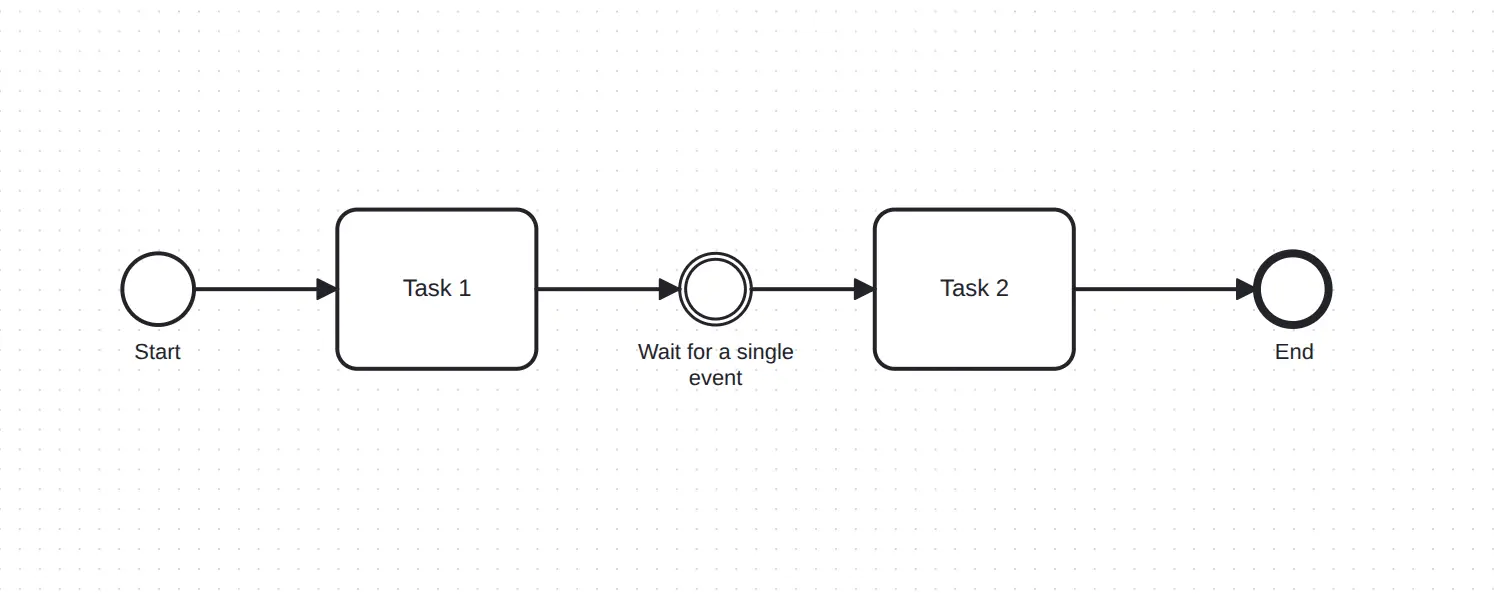
n8n does not support a connected, persistent waiting state within a single workflow. Every sequence of connected nodes is expected to execute to completion. There is no native concept of a process waiting for an external event and resuming later. To approximate it, you need to create a separate workflow that represents the arrival state and wire them together externally. It works, but it breaks the ability to represent the process as a single continuous flow.
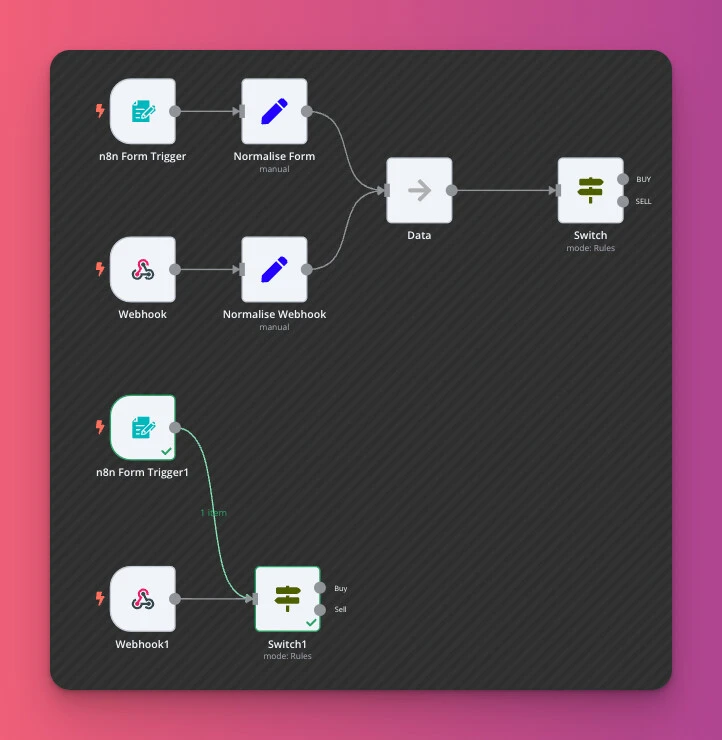
For short-lived automations, this does not matter. For processes that span hours, days, or involve human approval steps, this is a fundamental architectural difference.
Process Aliveness
Some processes cannot afford to die. In banking, insurance, and finance, a payment that disappears halfway through is not a technical inconvenience, it is a business incident.
Camunda excels at this. Any process instance triggered is guaranteed to remain alive until it is properly resolved. If something fails mid-execution and retries cannot fix it, the process enters an incident state, visible in the Cockpit UI (Camunda 7) or Operate (Camunda 8), where you can inspect what happened, fix the root cause, and manually resume or close the instance.
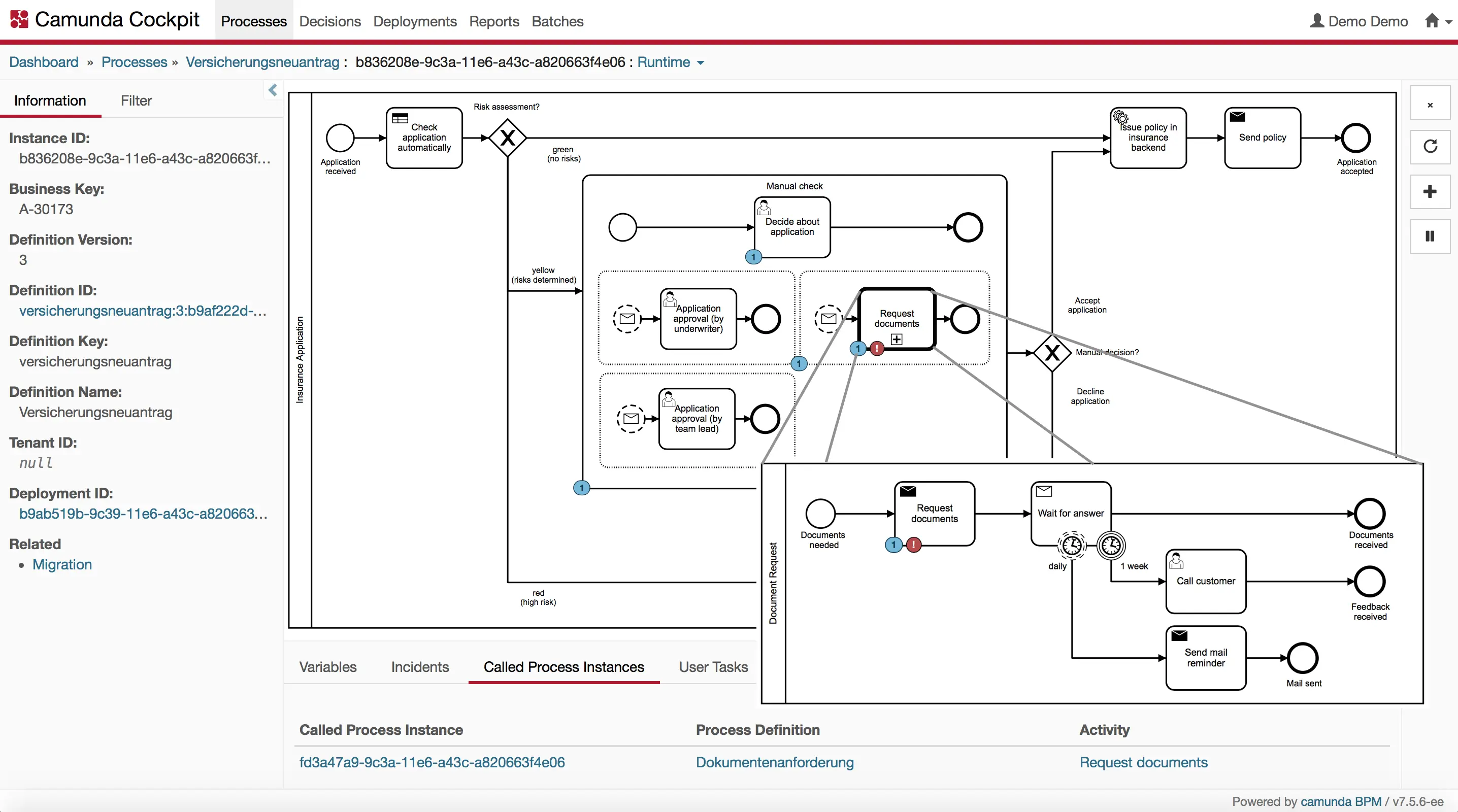
n8n handles this differently. The execution history persists and the error is recorded, but the execution ends and must be retriggered or handled externally, rather than remaining as a live process instance. If your process must stay alive until resolution, you build it in n8n. In Camunda, it comes out of the box.
Asynchronous Continuation
This is a Camunda-specific feature that lets you define, directly in the modeler, where the last persistence checkpoint should be for each element. The practical value is significant: not all incidents are alike. Sometimes a simple retry on the failing task is enough. Other times, if Task C fails, the right response is to restart from Task A.
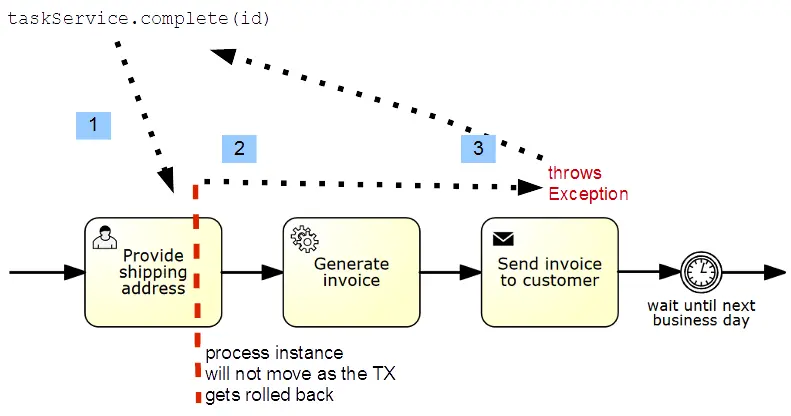
Asynchronous continuation gives you that control at the modeling level: a checkbox on each element, no extra code. In n8n this level of control is not natively available. You can approximate it with additional nodes, but that adds complexity that bleeds into the workflow canvas and makes the process harder to read. The BPMN philosophy is the opposite: execution configuration should be invisible, leaving the diagram to express only the business logic.
Exception Handling
BPMN draws a clear distinction between two types of failure: business errors and technical incidents.
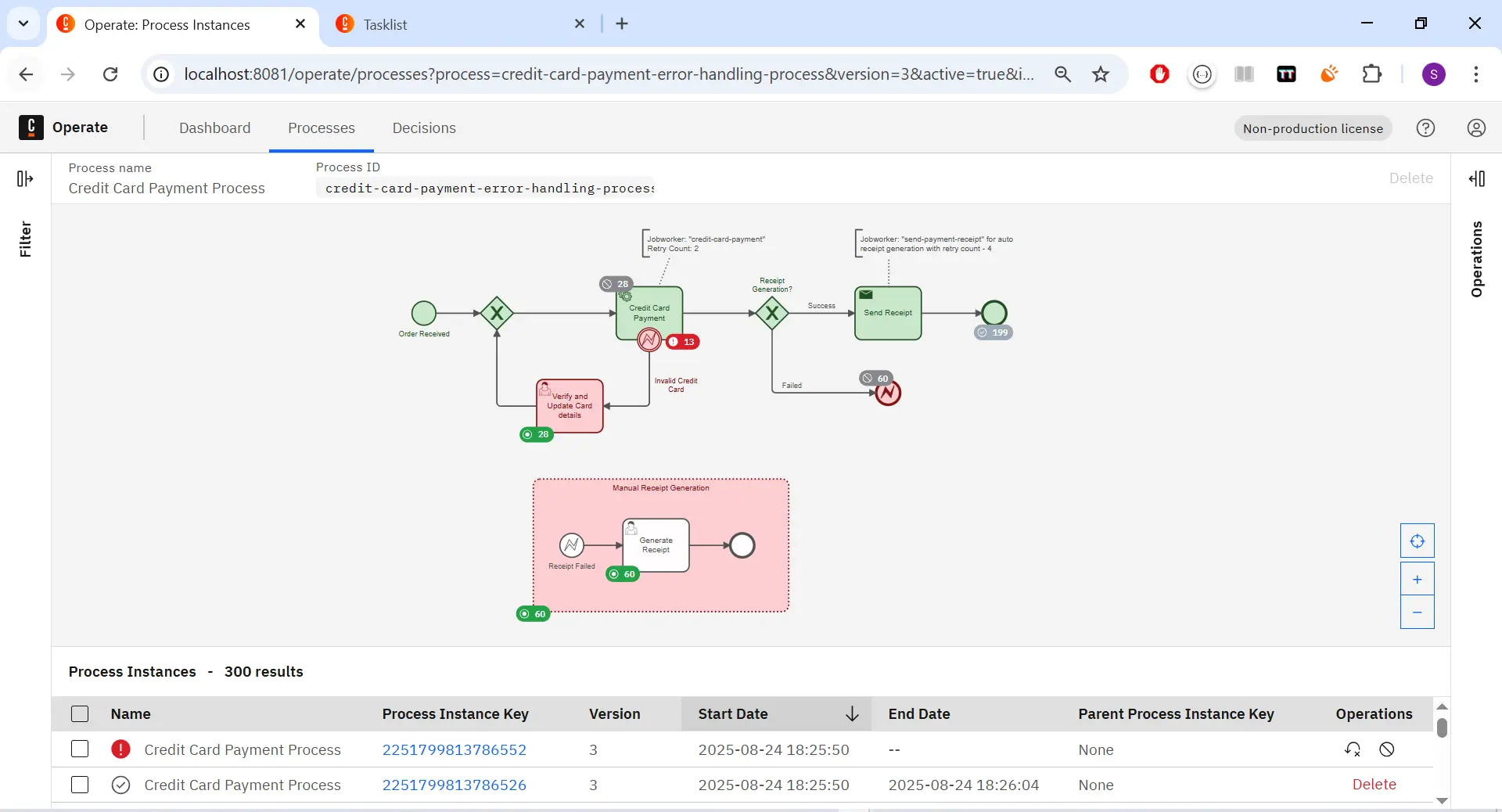
A business error is a known scenario: a payment declined, a document rejected, or a timeout that was anticipated. In BPMN, these are modeled explicitly using Error Boundary Events attached to tasks or sub-processes. They appear in the diagram. They are part of the process story.
A technical incident is something unexpected: a service task failing due to a timeout, a network error, or a missing variable. In Camunda, these surface as incidents in Camunda Operate, the monitoring tool. You can see exactly where the process is stuck, inspect the variables at that point, retry the failed job, or modify data and resume.
n8n does not make this distinction. You can handle errors using the Error
Trigger Node or the per-node onError configuration. It works. But the business error
handling is not visible on the canvas; it lives in configuration. When
something breaks in production, you are reading logs rather than looking at a
diagram that shows you where the process stopped and why.
3. Deployment
n8n is straightforward to self-host. The operational overhead is minimal and the setup is predictable: 2 containers in production, the application and a database. You get the application running quickly, and the maintenance story is simple.
Camunda 8 self-managed is a different kind of commitment. It is a multi-component system, and the footprint grows with what you actually need from it. A lightweight setup covering core process execution runs on 3-4 containers and is manageable. But once you add observability, identity management, decision analytics, and web-based modeling, you are looking at 10-11+ containers running as a distributed system. That is a different class of operational complexity.
That gap is worth factoring in before you commit. The lightweight setup is reasonable. The full stack is a real infrastructure decision.
4. Pricing
This is where the two platforms diverge significantly.
n8n is genuinely open source. You can self-host it, run it in production, and pay nothing beyond your infrastructure costs. The cloud version charges based on workflow executions, but the self-hosted path has no licensing requirement.
Camunda 8 is a bit different. The source code is available and you can self-host it, but Starting with recent versions of Camunda 8, the licensing model has changed. While the source remains available, production usage is subject to Camunda’s commercial license terms, which may require an enterprise agreement depending on your use case.
For non-commercial use, including hobby projects, academic institutions, and NGOs, Camunda offers free licenses. But for companies making a serious production decision, this licensing cost is real and needs to be factored in.
5. Ecosystem
n8n has over 400 native integrations, an active community, and strong momentum particularly in the AI space, where new nodes, tools, and integrations are shipping at a pace that is hard to keep up with, with 183,059 GitHub stars at the time of writing. For SaaS-heavy automations, n8n is a strong accelerator.
BPMN's ecosystem is different in nature. It is backed by a formal standard maintained by the Object Management Group. The knowledge base, including books, patterns, academic research, and community experience, is decades deep. What you learn transfers across engines. Camunda sits at around 4.9K GitHub stars and Flowable around 9K, numbers that reflect the enterprise nature of the tooling rather than open-source hobbyist adoption. Camunda also maintains a dedicated marketplace with connectors, accelerators, and community-built extensions. The Camunda community is active and technically serious, with a strong presence in regulated industries like banking, insurance, and healthcare.
Conclusion
Both platforms are genuinely good at what they are designed for. The lazy answer, "n8n for simple automations, BPMN for complex enterprise processes," is not completely wrong, but it undersells what you are actually choosing between.
n8n connects systems.
BPMN defines how systems behave over time.
Both can automate workflows. Only one gives you a language to reason about them.
Open calendar
Building or maintaining a workflow system?
If you’re dealing with workflow architecture, BPMN tooling, automation design, or the realities of running process systems in production, I help teams think through the hard parts clearly.
No pitch. Just a direct technical conversation.
Let's talk