XP: Experience Builder
A no-code platform that unified asset management, dynamic app creation, and cross-experience orchestration for broadcasters on the NextGenTV network.
Published April 8, 2026
XP: Experience Builder was a natural next step after the success of Bob Orchestrator, a workflow automation platform built for broadcasters on the NextGenTV network.
But automation alone was only part of the picture. The teams building and deploying applications across the network were still stuck with a legacy app builder that had been showing its limits for years. Access was restricted to a handful of developers. The UX made simple tasks unnecessarily slow. Business teams had no way in. Even most developers were locked out.
The ambition for XP was broader than replacing bad tools. The goal was to create a unified platform where every asset, apps, workflows, templates, dashboards, and media, lived in one place, and where non-technical teams could build, connect, and deploy experiences across the network without writing a line of code.
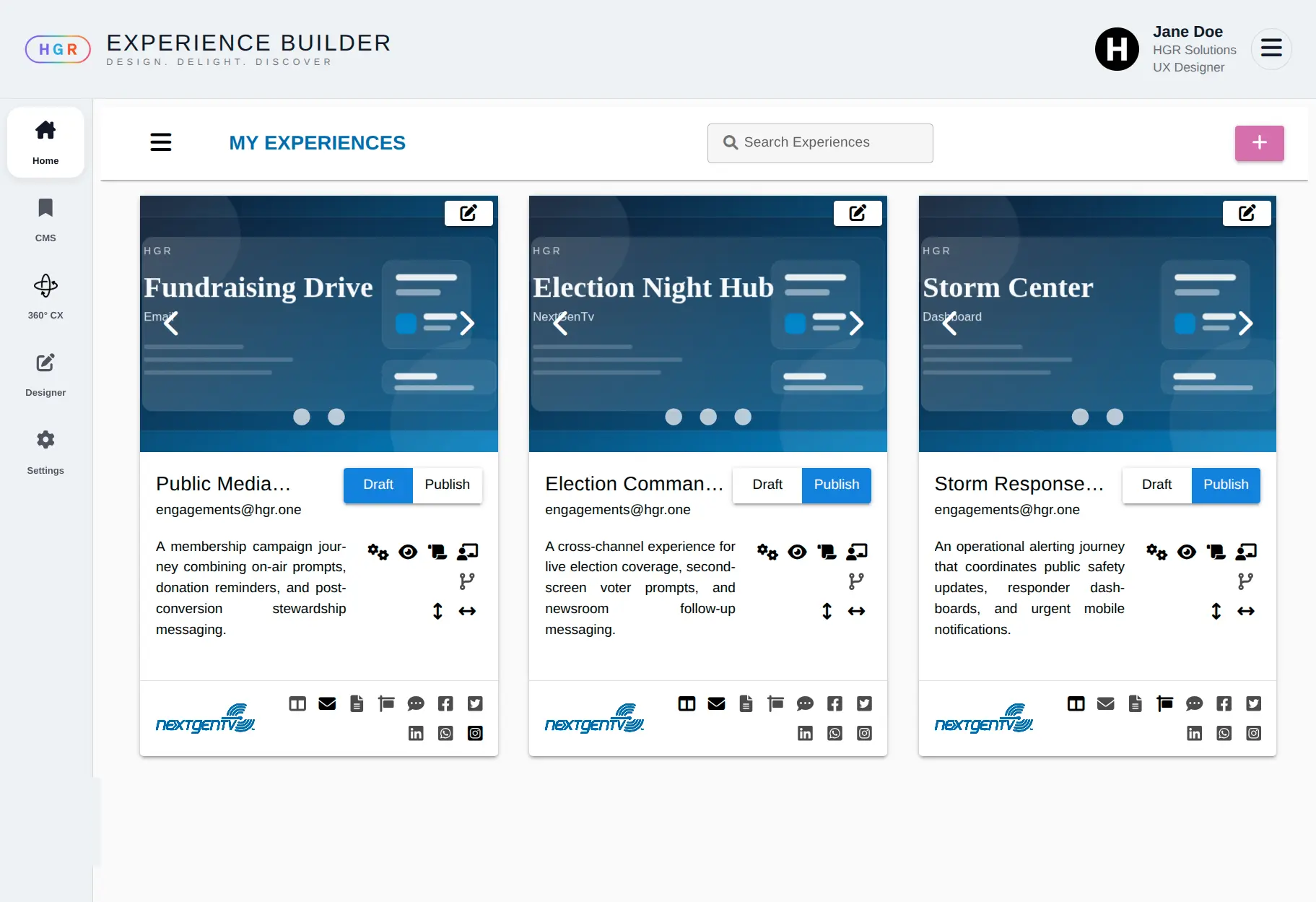
What XP Does
XP is organized around three connected layers.
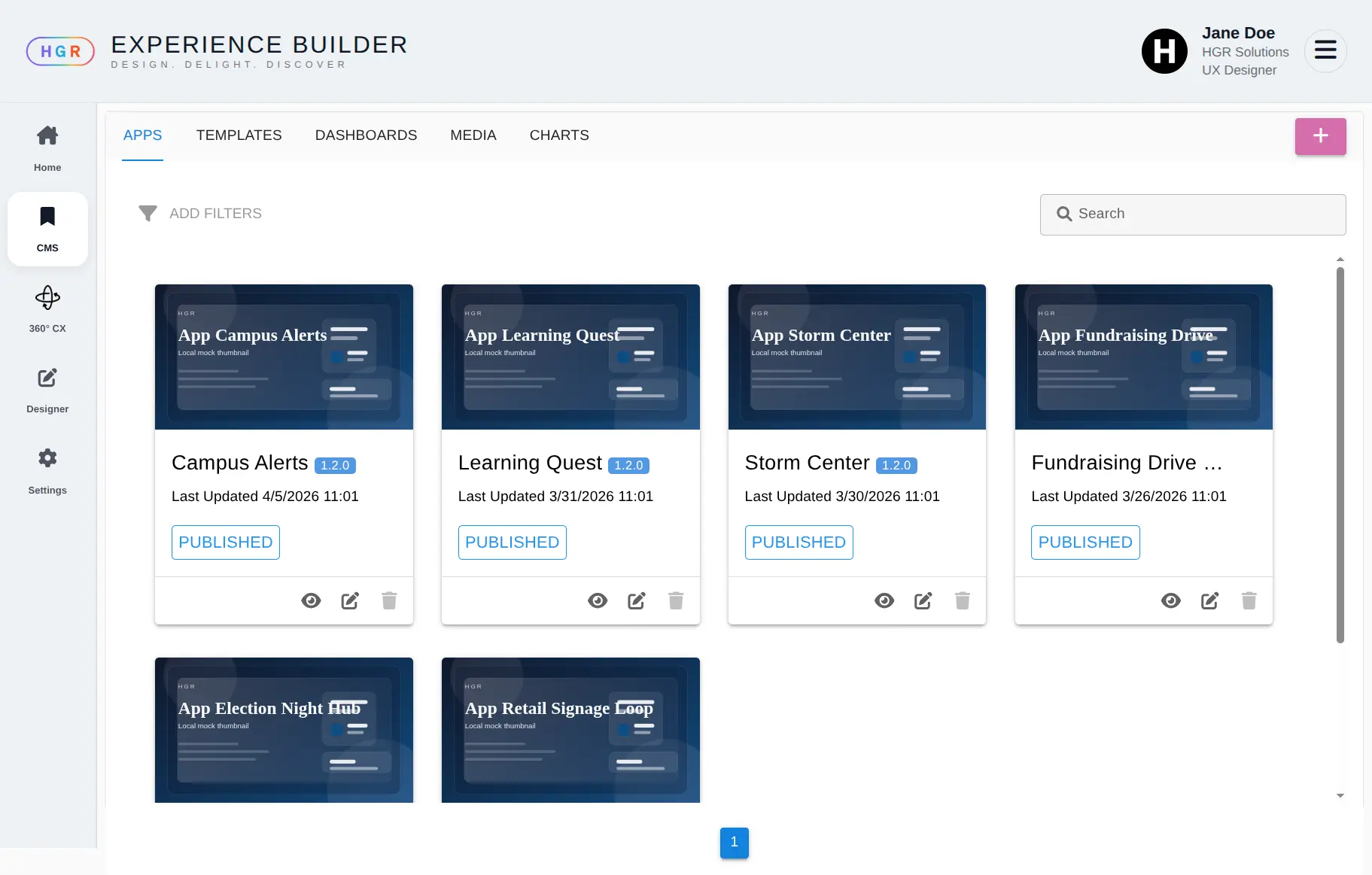
The first is the CMS. A single repository for all assets: images, videos, email templates, dashboard components, and app templates. Everything the platform needs to build with, in one place, versioned and accessible.
The second is the Designer. A GrapesJS-based app builder extended with a dynamic variable and event system. Users create pages visually, then wire them together with interactions: a widget triggers an action, another widget responds. No code required. The result is a fully functional, dynamic application deployable across the NextGenTV network and web.
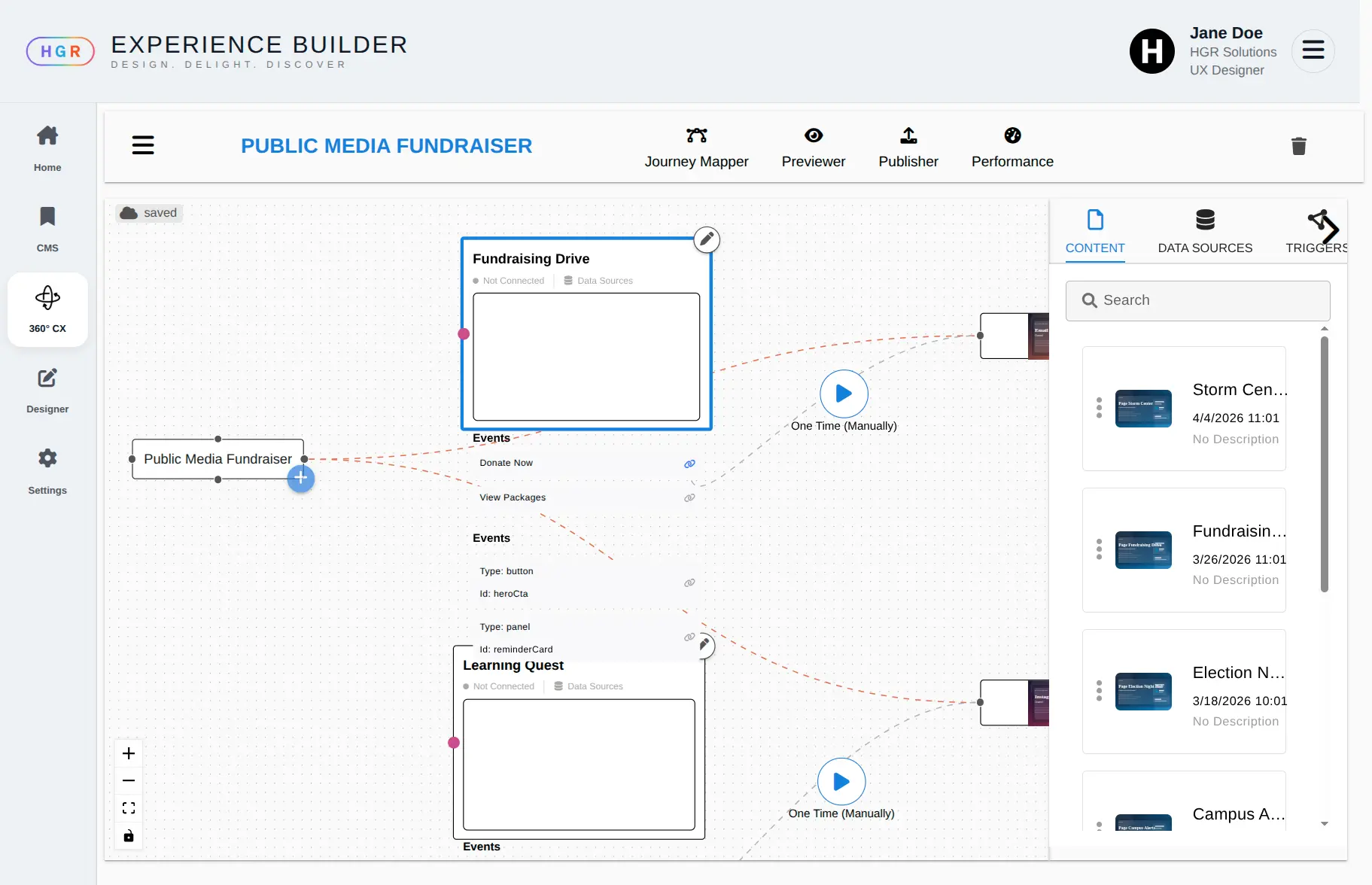
The third is the Journey Mapper. A canvas where broadcasters assemble experiences by connecting apps, workflows from BoB, and other assets through a drag-and-drop interface. Each asset exposes its own events and triggers. The journey mapper establishes the connections between them, defining how a viewer moves through an experience or how the system responds to what they do.
The Hard Parts
Two problems defined the engineering effort on this project.
The first was dynamic behavior inside GrapesJS. GrapesJS is a page builder. Making it behave like an application builder required two things to be solved simultaneously.
The first was the abstraction layer itself. Non-technical users needed to define variables, bind them to widgets, and wire up event-driven interactions between components. A button click in one widget needed to change state in another. A conditional context needed to load a different app entirely. None of that exists in GrapesJS out of the box.
The second was architecture. Building that abstraction layer while multiple developers were simultaneously building components on top of it required a pluggable structure from day one. Some components were simple and mostly static. Others were fully dynamic with complex interactivity and data bindings. The architecture had to accommodate both, and had to make it easy for any developer to drop in a new component without touching the core. The goal was to reach a point where the app builder team and the component teams could work in parallel and combine their work cleanly at the end, without integration becoming a project in itself.
The second was the journey mapper itself. Connecting heterogeneous assets, apps, BPMN workflows, templates, and media, through a visual canvas required significant product design work before any implementation started. Every asset type had different event structures, different data contracts, and different deployment contexts. Making them composable through a unified drag-and-drop interface required multiple design sessions to define what was technically feasible and what the interaction model should look like.
The Result
XP shipped. The first version was fully functional in production.
Broadcasters on the NextGenTV network could build and deploy apps without developer involvement. The journey mapper enabled real cross-experience orchestration: a viewer interacting with one app could trigger a context switch that loaded a second app, surfaced a dynamic modal, or initiated a workflow from BoB. The platform delivered on its core promise: unified assets, dynamic app creation, and connected experiences in one place.
Open calendar
Building or maintaining a workflow system?
If you’re dealing with workflow architecture, BPMN tooling, automation design, or the realities of running process systems in production, I help teams think through the hard parts clearly.
No pitch. Just a direct technical conversation.
Let's talk